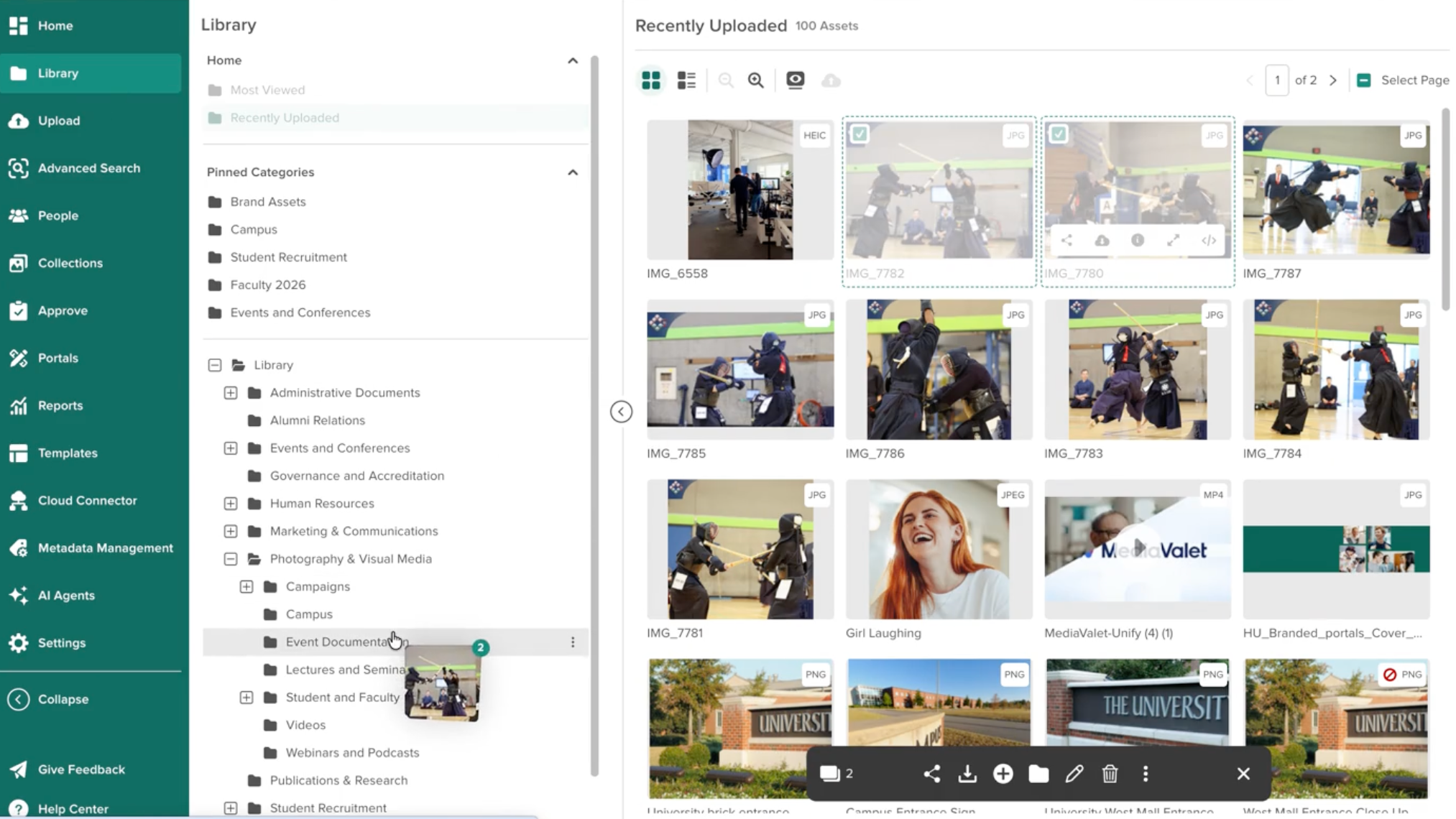
Drag and Drop Assets into a Category
Users with permission to edit asset categories can now drag selected assets onto a category in the Library tree and choose whether to add that category or move the assets into it.
This makes it easier to reorganize multiple assets at once instead of editing them individually.
Categories Column in List View
List View now includes a Categories column, showing every category an asset is assigned to. This makes it easier to see category assignments across a page of results without opening each asset.
Users can enable this column in Manage Columns settings.
Please note that Categories is available in List View only, and column choices are saved per user. Each person can move or remove the column in their own view.
Category-Level Permission Indicators
Admins can now see which categories have Category-Level Permissions set at a glance, without opening each category individually. A new Permissions column shows whether a category has permissions applied directly to it or to one of its sub-categories. This makes it easier to audit permissions across your library in a single pass, rather than checking categories one by one.
The indicators show that a permission is set, but not which groups it applies to or what access it allows. Select the category to view those details.
Updated Internal Uploads Approval Page
We've updated the way approvers and administrators manage internal submissions.
The new workflow makes it easier to review submissions, manage decisions in bulk, and keep comments and approval history with the asset.
Approvers can decide on assets one at a time, or select several to approve, reject, or comment on them together. Comments are saved to the asset's Comments tab, so the reason for a decision stays with the asset.
When a review is finished, a summary shows what was approved and rejected, and an approver can go straight to the newly approved assets or start another review. The asset's History tab records the reviewer, decision, and timestamp. The full review workflow also works on a mobile device.
See the Support Article for more information.
Integrations: Smart Image Search in the Asset Picker
Smart Image Search is now available in the Asset Picker across Unify integrations (e.g., Monday.com, WordPress), letting users describe the image they need using natural language. This makes it easier to find the right asset without leaving the tool they're working in. For example, a user can search for two people shaking hands and get matching images, even if none of them are tagged with those words.
Please note:
- Smart Image Search is available for images only. Videos and documents are not included.
- Each search returns up to 200 images.
Microsoft 365 Connector: Insert MediaValet assets directly in Word, Excel, and PowerPoint
MediaValet users can now browse, search, and insert approved image assets into Word, Excel, and PowerPoint — on web and desktop — without leaving their documents. A completely new build from our legacy connector, the connector has been rebuilt on MediaValet's modern integration framework, Unify.
- Users search by metadata, file name, or category, the same way they do in MediaValet. Or can utilize our Smart Image Search right within the apps themselves.
- Alt text carries over with each inserted image.
- Insertion respects each user's MediaValet download permissions.
Insertion is a one-time static placement; assets do not sync back to MediaValet. A MediaValet integration seat is required. Users of the previous Office connector will need to install the new add-in from by following the steps outlined here. The previous connector continues to work but is no longer supported.
Please reach out to your MediaValet representative for more information.